 DeckCoderAI
Make interactive slides with your AI agent.
Drag the slider below to turn an accusation into an invitation. Or change the growth rate and watch a chart redraw as you speak.
Curiosity with accountability
The accusation
“You don’t care.”
The invitation
“I was hoping we could have some time together.”
What could you ask for?


Discussion question
Rewrite “You always do this” using a real example.
See how this slide was made
The Story note
“A clear request can receive a yes, a no, or a different proposal. It begins a conversation.”
In Story, the presenter wrote what they wanted the audience to understand.
The design request
On a Story card, choose Prepare design request. In Agent Booth, choose Copy for agent. Paste it with your design direction into your connected AI app.
Follow the Story walkthroughThe four pillars of trust.
Build the pillars one brick at a time. Select a pillar to highlight it, then follow a school teacher through twelve classroom moments where trust is earned.
Open the presentation Download the editable deck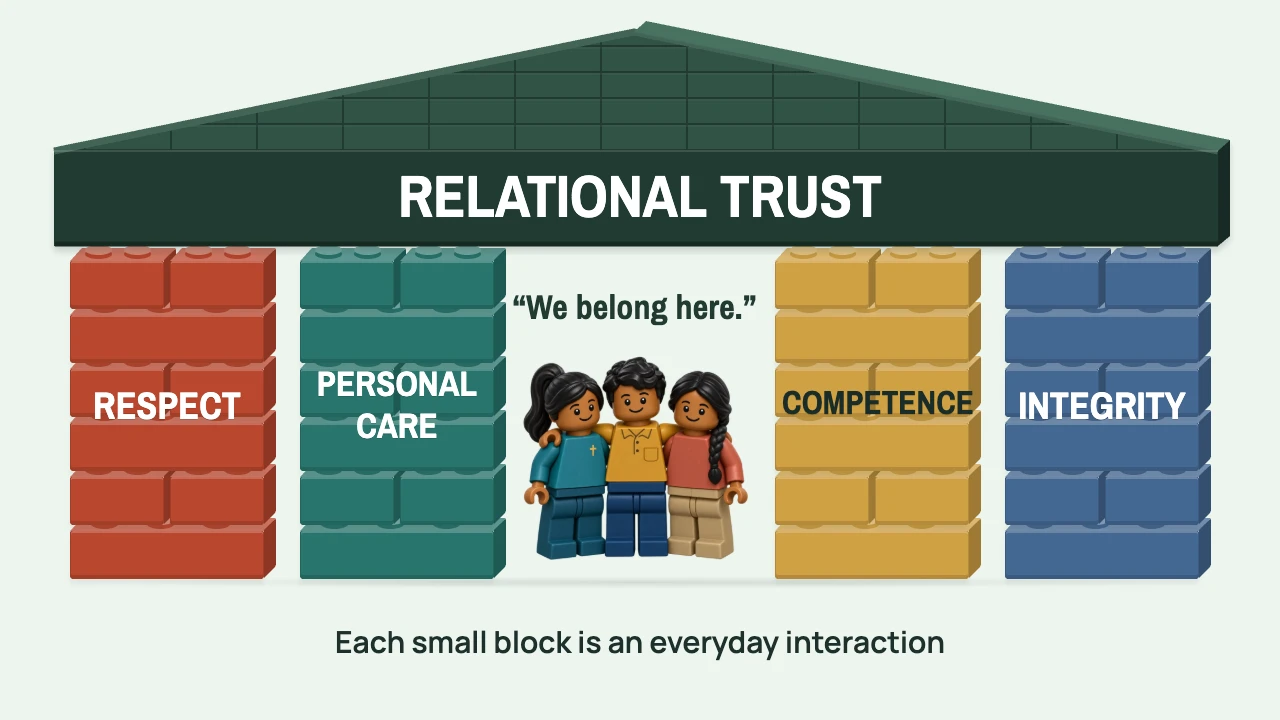
Make your first deck.
Follow How trees cool cities from a first idea to a six-slide talk. Pick a starting point.
Set up your agentTry more interactive slides.
Pause the flight, change the shape of a curve, reveal an idea or solve a split-flap word puzzle. Each example includes a request you can give your agent.
Browse the slide gallery“Start in Kerala. Let the land appear as coloured dots. Fly a small plane to Adelaide, then light up South Australia when it lands.”
“Give me a growth-rate slider I can move while I speak. Show what happens to the starting value after twelve periods.”
“Start with our question. Reveal the experiment, then the discovery, one press at a time.”
“Scramble an eleven-letter word on an airport-style split-flap board. Give the audience time to guess. When I press Next, flip the tiles one after another to reveal the word.”
Kerala to Adelaide
02 / EXPLORE A MODEL
Small changes.
Different futures.
What happens after twelve periods if you double the rate from 6% to 12%?
03 / REVEAL AN IDEA
Understanding.
One layer at a time.
1 of 3 · Begin with a question.
Can you spot the word?
Watch the original recording
Before you start
Do I need to write code?
Your AI agent can author the HTML, CSS and JavaScript. You can edit wording visually, write notes and present in the app. Custom scenes still need review and rehearsal.
Which AI can I use?
Use an external client such as Codex, Claude Desktop, Cursor or VS Code with the app’s local agent connection. DeckCoderAI does not include or run an AI model. Your client’s availability and charges are separate.
Can I use my existing PowerPoint deck?
This preview creates and opens DeckCoderAI v5 presentations. It does not import PowerPoint. PowerPoint exports contain slide images, not editable native slide objects or interactive controls.
Where does my work live?
Presentation files, assets, notes and history stay on your computer. An external agent can receive content you share or authorise it to read. Cloud sync and collaboration are not included.
Which computers can try it?
The signed and notarised preview was tested on Apple M3 Pro with macOS 27.0.1. Intel, other macOS versions and a physical second display/projector remain unverified. Read the download details and rehearse on your setup. An experimental Windows x64 build is also available; it is unsigned and has not been tested on Windows.
What does the audience see?
The audience sees the slide you control. Your Story notes and cues stay in the presenter view. Try revealing a thought below.
Pause here. Ask the room what they would change. Let the next idea arrive with them.
Try it. Both views follow the same reveal.
Workflow illustration. This page is not connected to a desktop presentation.
How can I share my presentation?
Export HTML to keep supported interactions, or hand over an editable .deckcoder file. PDF and PowerPoint exports use static slide images. PowerPoint can also include editable speaker notes.